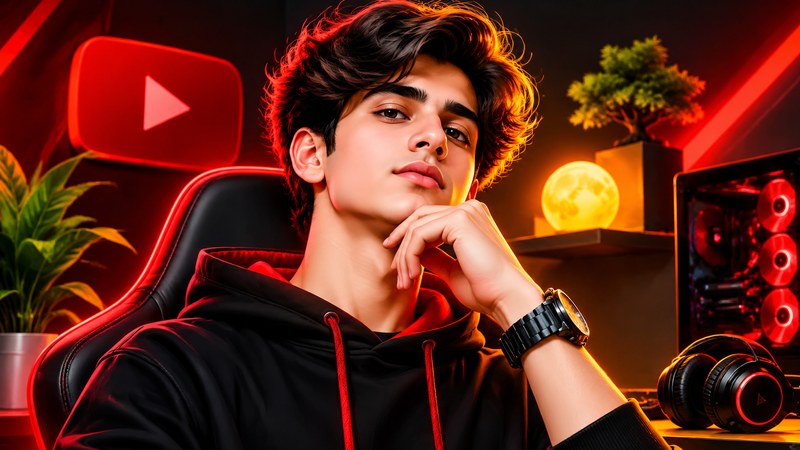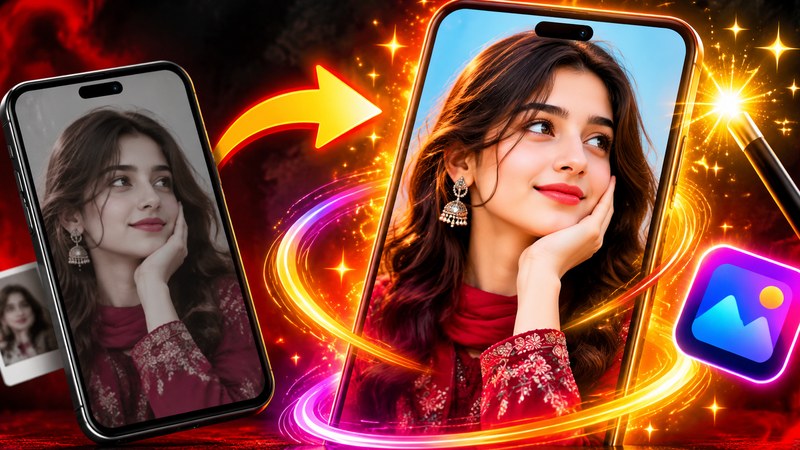
A viewer gives your thumbnail about one second before deciding to click or keep scrolling. That makes the thumbnail the hardest-working image on your channel: it is an advertisement for the video, shown at the size of a postage stamp, competing against dozens of others. AI image generators have changed the game for small creators: you can now test bold, polished thumbnail concepts in minutes instead of hiring a designer for every upload. But a lazy prompt produces a lazy image. The prompts below are written the way thumbnail designers actually think — one emotion, one focal point, violent contrast, and empty space where your text will go.
Using them is simple. Paste a prompt into your favourite AI image generator, replace the words in brackets with your own topic, and generate at least four versions. Pick the clearest one, then add your title text in an editing app — AI generators still garble letters, so never let the AI bake the words into the image. Finally, shrink the result to ten percent size. If you can still tell what it shows, it is ready.
Three Rules Before You Generate Anything
Every high-click thumbnail, AI-made or not, obeys the same three rules. First, one idea only: a thumbnail that shows three things shows nothing. Second, emotion beats information — a face reacting strongly will out-pull a picture of the thing itself. Third, contrast is king: bright subject, dark or bold background, and a silhouette that survives being shrunk to the size of a fingernail.
The 15 Prompts
- Shocked Face Close-Up: "Extreme close-up of a young creator with a shocked expression, mouth open, eyebrows raised, bright studio lighting, solid red background, ultra sharp, YouTube thumbnail style." — The oldest trick in the book: raw emotion is readable at any size.
- Before and After Split: "Split-screen transformation, left side a dull messy desk in grey light, right side the same desk as a glowing neon studio, dramatic lighting contrast, clean composition." — Transformations promise a result — viewers click to see how.
- Giant Object, Tiny Person: "A tiny person standing amazed in front of a gigantic smartphone leaning like a skyscraper, low camera angle, bright blue sky, playful scale contrast." — Wrong scale is instantly strange, and strange stops the scroll.
- The Mystery Box: "A creator holding a plain cardboard box glowing with golden light from the lid, curious excited expression, dark room, cinematic spotlight." — An unopened box is a question the brain wants answered.
- Pointing at the Problem: "Creator pointing with a worried face at a cracked phone screen with a big red X over it, plain yellow background, sharp focus, empty space on the left for text." — Pointing tells the eye exactly where to look, and the red X names the pain.
- Money on the Rise: "Excited young person in front of a rising green graph and blurred banknotes, confident smile, bright clean background, professional finance thumbnail look." — Growth charts signal success stories, the most clicked genre in the money niche.
- Versus Battle: "Two smartphones facing each other like fighters with electric sparks and a glowing VS symbol between them, dark arena background, dramatic rim light." — A versus layout turns a comparison video into a fight nobody wants to miss.
- The Big Red Arrow: "Messy beginner video setup on the left, clean professional setup on the right, one huge glossy red arrow pointing from left to right, bright even lighting." — Arrows create movement, and the eye follows them straight into your title.
- Warning Zone: "Creator with hands raised in alarm in front of black and yellow hazard stripes, a phone overheating with cartoon smoke, bold warning poster style." — Hazard stripes read as danger before a single word is read.
- Floating Product Hero: "A wireless earbud case floating mid-air surrounded by soft glowing sound waves, deep purple gradient background, dramatic studio light, premium product advertisement style." — A floating hero shot makes any gadget look expensive and worth reviewing.
- Hand Reaching Out: "A hand reaching toward the camera holding a small gadget, fingers slightly blurred in front, excited face blurred behind, bright teal background." — A hand breaking the frame creates depth that flat thumbnails never have.
- One Face in the Crowd: "One amazed face in sharp focus surrounded by a blurred crowd of people looking the same way, warm sunlight, shallow depth of field." — A single reaction face inside a crowd tells a whole story in one glance.
- Minimalist One Object: "A single bright red microphone standing alone in the centre of a solid electric blue background, huge empty space around it, flat bold poster style." — Minimalism stands out precisely because every other thumbnail is screaming.
- Behind-the-Scenes Chaos: "A creator laughing at a cluttered desk with a ring light, tangled cables, coffee cups and sticky notes everywhere, warm cozy light, honest documentary feel." — Relatable mess builds trust, which is gold for tutorials and vlogs.
- The Trophy Moment: "Creator holding a golden play-button trophy above their head, confetti falling, stadium lights behind, pure celebration, bright and joyful colors." — Celebration images borrow the feeling of winning, and viewers click to share it.
Practical Tips That Raise Click-Through Rate
- Keep text to three or four words. Your title already explains the video; the thumbnail text should add curiosity, not repeat the title.
- Leave the left third empty if your face sits on the right — balanced layouts look professional and read faster.
- Use one accent colour per thumbnail, repeated across a series, so viewers recognise your videos in the feed.
- Test against competitors. Drop your thumbnail into a screenshot of your home feed and check honestly whether the eye lands on yours.
- Generate wide, crop later. Ask for a 16:9 composition with the subject off-centre so you can crop for Shorts and posts too.
Common mistakes to avoid
- Letting the AI generate the text — it will misspell it, and misspelled thumbnails look amateur
- Packing in small details, logos and screenshots that vanish at small sizes
- Using a calm, smiling face when the video is about a problem or a shock
Final Words
Treat these prompts as starting blocks, not finished designs. The creators who win with AI thumbnails generate more options than everyone else, judge them at tiny sizes, and keep the one that tells the story fastest. Run your next video through prompts one, five and thirteen, compare them, and let your own click-through data teach you which style your audience loves. That feedback loop — generate, test, learn — is the real skill, and it compounds with every upload.